
Complete Guide to Amazon Affiliates on Ghost CMS: Setup, Automation, and Optimization
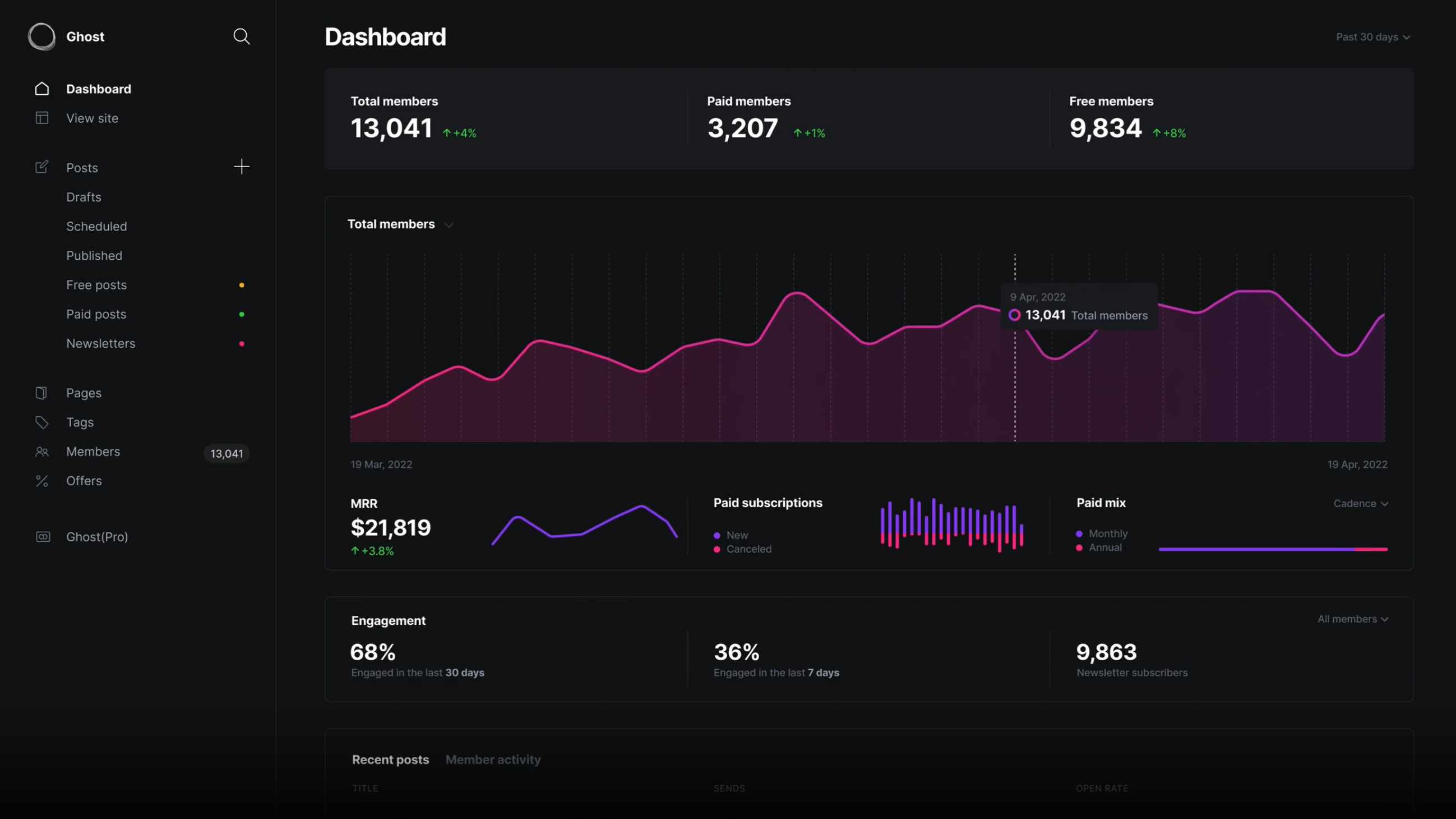
Ghost CMS has quietly become one of the best platforms for affiliate content creators. It's fast, clean, optimized for SEO out of the box, and doesn't require wrestling with plugins or page builders. But Ghost's global reach creates a problem most bloggers don't realize they have: your Amazon affiliate links don't work for most of your international readers.
If you're running a Ghost blog with Amazon affiliate links, you're almost certainly leaving money on the table. This guide will show you exactly why—and how to fix it.
Why Ghost Is Perfect for Affiliate Content
Ghost has earned its reputation among serious content creators for good reasons.
Speed matters for conversions. Ghost sites routinely score 95+ on PageSpeed Insights without any optimization work. When every second of load time costs you conversions, starting with a fast foundation is a competitive advantage.
Clean design builds trust. Ghost's minimal, distraction-free themes look professional without the visual clutter that plagues many affiliate sites. Your product recommendations appear editorial, not spammy.
SEO is built in. Ghost handles structured data, meta tags, sitemaps, and canonical URLs automatically. You focus on writing; Ghost handles the technical SEO foundation.
No plugin dependencies. Unlike WordPress, Ghost doesn't require a dozen plugins to function properly. Fewer moving parts means fewer things that can break—and faster load times.
Affiliate Niches That Thrive on Ghost
Certain content categories perform exceptionally well on Ghost's clean, reader-focused platform:
| Niche | Why Ghost Works | Revenue Potential |
|---|---|---|
| Book recommendations | Long-form reviews, author interviews, curated lists | High (loyal readers, repeat purchases) |
| Tech & productivity | Detailed reviews, setup guides, comparison posts | Very high (high-value products) |
| Photography gear | Portfolio-quality images, in-depth tutorials | High (premium products) |
| Home office & remote work | How-to guides, product roundups | Moderate-high |
| Newsletter-first businesses | Ghost's native newsletters drive repeat traffic | High (engaged audience) |
Ghost bloggers tend to attract educated, internationally distributed readers. Which brings us to the problem.
The International Revenue Problem
Ghost's SEO advantages and clean design attract a global audience. Your analytics probably show significant traffic from the UK, Germany, Canada, Australia, and other markets. That's usually considered a good thing—until you realize what's happening when those readers click your affiliate links.
A Real Scenario
Let's model a Ghost blog about productivity tools and home office equipment:
- Monthly visitors: 50,000
- Geographic breakdown: 45% US, 15% UK, 12% Germany, 8% Canada, 20% other international
- Affiliate link click rate: 4%
- International clicks: 1,100 per month (55% of traffic × 2,000 clicks)
When Marcus in Munich clicks your link to that Herman Miller chair, here's what happens:
- He lands on amazon.com (not amazon.de)
- He sees the price in USD—€1,395 becomes a mental math problem
- Shipping to Germany shows $200+ or "item not available for delivery"
- He closes the tab and searches on amazon.de instead
- He buys the chair. You earn nothing.
The revenue math is brutal:
At a 3% conversion rate with proper localization:
- 1,100 international clicks × 3% = 33 conversions
- Average commission: $15
- Monthly international revenue: $495
What Ghost bloggers typically see instead:
- 1,100 international clicks × 0.4% (frustrated bounces) = 4.4 conversions
- Actual monthly international revenue: $66
You're losing $429 per month—or over $5,000 per year—from international traffic that already exists.
Why This Matters More on Ghost
The irony is that Ghost's strengths make this problem worse:
- Ghost's international SEO means you rank globally
- Ghost's clean design attracts discerning readers who expect polished experiences
- Ghost's newsletter features build international subscriber bases
- Ghost members come from everywhere
You've built an audience that spans borders. Your affiliate links don't.
Getting Started with Amazon Associates
Before we fix the localization problem, you need affiliate accounts with multiple Amazon programs.
Quick Signup Walkthrough
Amazon US (amazon.com/associates)
- Sign in with your Amazon account
- Enter your website URL (your Ghost blog)
- Describe your site and traffic sources
- Create your first affiliate tag (e.g.,
yourblog-20) - Choose your payment method
Amazon UK (affiliate-program.amazon.co.uk)
Repeat the process for the UK program. Your tag will look different (e.g., yourblog-21).
Amazon Germany (partnernet.amazon.de) Same process. German tags use yet another format.
Continue for any regions where you have significant traffic: Canada, France, Italy, Spain, Japan, Australia.
Amazon's Terms of Service for Ghost
A few rules to keep in mind:
- Always disclose affiliate relationships (Ghost makes this easy with a site-wide notice)
- Don't use affiliate links in emails directly (link to your blog post instead)
- Don't manipulate prices or availability information
- Don't use Amazon's trademark in your domain name
Ghost's clean content approach naturally aligns with Amazon's guidelines—you're recommending products editorially, not building a thin affiliate site.
The Manual Nightmare
Now you have six different affiliate accounts. For each product you recommend, you need to:
- Find the product on amazon.com and copy the link with your US tag
- Search for the same product on amazon.co.uk and copy that link
- Repeat for amazon.de, amazon.ca, amazon.fr...
- Display all six links to your readers somehow
- Hope they click the right one
This is tedious, error-prone, and clutters your content. There's a better way.
Linkfuse + Ghost Integration
Linkfuse solves the international affiliate problem through Content Channels—a direct integration with Ghost that automatically scans your entire publication and converts every Amazon link to a localized, tracked affiliate link. No manual link creation. No workflow changes. Connect once, and Linkfuse handles every post you've ever written and every post you'll write in the future.
Why Linkfuse Works Perfectly with Ghost
Ghost is a first-class citizen in Linkfuse's Content Channel system. The integration connects directly to Ghost's Admin API, which means:
- Automatic scanning: Linkfuse scans your entire Ghost publication—every published post—and identifies Amazon affiliate links
- Automatic conversion: Those links are replaced with localized Linkfuse links that route visitors to their regional Amazon store
- Real-time webhooks: When you publish or edit a post, Ghost notifies Linkfuse immediately via webhooks. Your new content is processed within seconds
- Zero workflow changes: Keep writing posts exactly as you do now. Use regular Amazon links. Linkfuse converts them automatically
- Works with Ghost Pro and self-hosted: The Admin API integration works identically on both
- Multi-author support: Every author's posts are processed automatically—no training required
This is the critical difference from other solutions: you don't need to manually create Linkfuse links for each product. You don't need to remember to use a special URL format. Just write naturally, include Amazon links, and Linkfuse handles the rest.
Complete Setup Walkthrough
Step 1: Create Your Linkfuse Account
Visit Linkfuse's sign-up page and create your account.
Step 2: Add Your Amazon Affiliate Tags
In your Linkfuse dashboard, navigate to Settings → Affiliate Tags. Add your regional Amazon affiliate IDs:
| Region | Example Tag Format |
|---|---|
| United States | yourblog-20 |
| United Kingdom | yourblog-21 |
| Germany | yourblog-21 |
| Canada | yourblog-20 |
| France | yourblog-21 |
Linkfuse will automatically use the correct tag when redirecting visitors to their regional store.
Step 3: Create a Custom Integration in Ghost
You'll need to generate an Admin API key from your Ghost publication:
- Log in to your Ghost Admin panel
- Navigate to Settings → Integrations
- Scroll to "Custom integrations" and click + Add custom integration
- Name it "Linkfuse" (or any name you prefer)
- Copy the Admin API Key—it's in
id:secretformat (two parts separated by a colon) - Note your API URL (your Ghost site's base URL)
Keep this API key secure. It provides administrative access to your publication.
Step 4: Connect Ghost as a Content Channel
Back in Linkfuse:
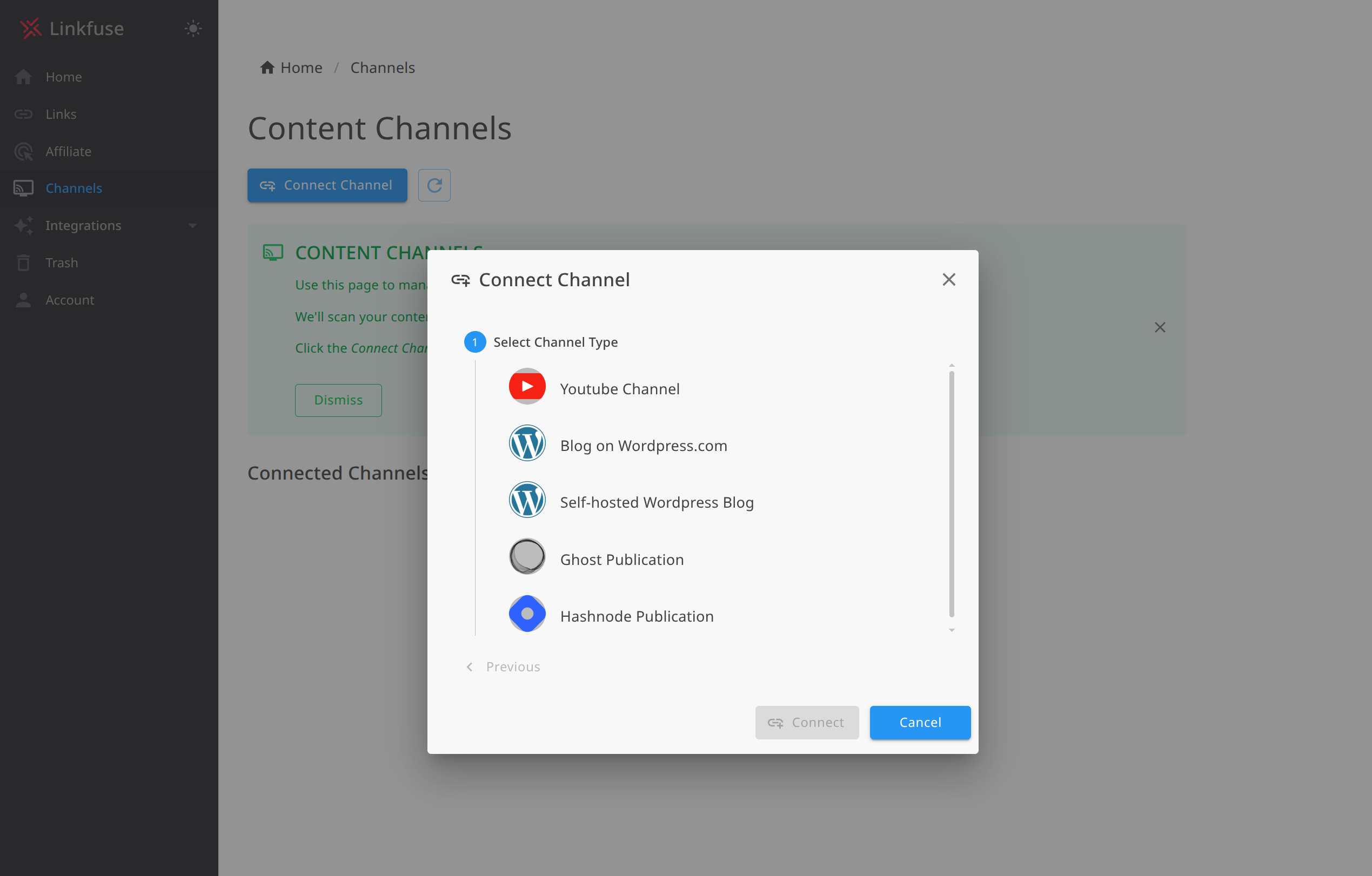
- Navigate to Channels → Add Channel
- Select Ghost from the platform options
- Enter your Ghost site URL (e.g.,
https://yourblog.com) - Paste your Admin API Key
- Click Connect
Linkfuse verifies the connection and immediately begins scanning your publication.
Step 5: Enable Automatic Monitoring
Once connected, enable real-time monitoring:
- In your Ghost channel settings, find the Monitoring section
- Toggle Enable automatic monitoring to ON
- Linkfuse creates webhooks in Ghost for
post.publishedandpost.published.editedevents
With monitoring enabled, every new post and every edit triggers automatic link processing. Publish at 3 AM? Links are converted immediately. Update an old review with a new product? That link is processed without any manual intervention.
Step 6: Watch the Initial Scan
Linkfuse performs an initial scan of all your published posts:
- Every post is analyzed for Amazon affiliate links
- Eligible links are converted to localized Linkfuse links
- The activity log shows exactly what was processed
You can monitor progress in your Linkfuse dashboard. For a blog with 200 posts, the scan typically completes in a few minutes.
Step 7: Verify the Integration
To confirm everything works:
- Check the Channel activity log—you should see your posts listed with "Updated X Links" status
- Open any post on your Ghost blog
- Inspect an Amazon link—it should now be a Linkfuse short link
- Click it—you should land on your local Amazon store with your affiliate tag
- Use a VPN to test from another country, or ask an international friend to try
The beauty of Content Channels: you don't need to do anything special going forward. Write posts, include Amazon links, publish. Linkfuse handles localization automatically.
Writing Affiliate Content in Ghost with Linkfuse
With the technical setup complete, let's talk about creating content that converts.
Link Placement Best Practices
Early mention: Include your first affiliate link within the first few paragraphs. Readers who already know what they want shouldn't have to scroll.
Contextual links: The most effective affiliate links appear naturally within sentences: "I've been using the Sony WH-1000XM5 for six months now."
Multiple touchpoints: Repeat the link opportunity 2-3 times in a long post—beginning, middle, and conclusion. Different readers reach buying readiness at different points.
Comparison sections: When comparing products, link each product name. Readers often click to check current prices.
Using Ghost Cards Effectively
Ghost's card system is perfect for affiliate content:
Product Card Pattern Use a combination of image card + markdown for clean product callouts:

### Our Pick: Sony WH-1000XM5
The best noise-cancelling headphones for most people. Exceptional sound quality,
30-hour battery life, and unmatched noise cancellation.
**[Check current price on Amazon](https://lnkf.us/example)**Callout Card for Recommendations Ghost's callout card (the colored boxes) works well for highlighting top picks without interrupting article flow.
Button Card for CTAs For roundup posts, use Ghost's button card to create clear calls-to-action that stand out from body text.
Creating a Product Comparison Post
Here's a template structure that works well on Ghost:
# Best Noise-Cancelling Headphones for Remote Work (2026)

[Introduction explaining the criteria and testing methodology]

## Quick Picks

| Headphones | Best For | Price Range | Link |
|------------|----------|-------------|------|
| Sony WH-1000XM5 | Overall | $$$ | [Check price](link) |
| Apple AirPods Max | Apple users | $$$$ | [Check price](link) |
| Bose 700 | Calls | $$$ | [Check price](link) |

## Detailed Reviews

### Sony WH-1000XM5
[In-depth review with your Linkfuse link]

### Apple AirPods Max
[In-depth review with your Linkfuse link]

[Continue for each product]

## The Verdict
[Summary with final recommendation and link]
Building a "Recommended Gear" Page
Create a permanent page (not a post) at /gear/ or /recommendations/ that lists your favorite products by category. This becomes evergreen content that you link to from multiple posts.
In Ghost, create a new Page and add it to your navigation menu. Structure it by category with brief descriptions and Linkfuse links for each product.
Advanced Ghost + Linkfuse Features
The Content Channel Activity Log
Every link conversion is logged, giving you full visibility into what Linkfuse has processed. The activity log shows:
- Post title and thumbnail for each processed article
- Action taken (e.g., "Updated 3 Links", "No eligible links found")
- Timestamp of when processing occurred
- Full audit trail of all changes
This transparency lets you verify that links are being converted correctly and track optimization progress across your entire content library. If something looks wrong, you can see exactly what happened and when.
Retroactive Optimization
This is where Content Channels shine for established Ghost blogs. That review post you wrote two years ago? It's still getting search traffic, but its Amazon links point to amazon.com for everyone.
When you connect your Ghost publication, Linkfuse doesn't just process new content—it scans your entire archive. Every published post, no matter how old, gets its affiliate links localized. Revenue you've been losing for years starts flowing immediately.
For a Ghost blog with 300+ posts, this retroactive optimization alone can represent thousands of dollars in recovered annual revenue.
Webhook-Based Real-Time Processing
Linkfuse uses Ghost's native webhook system for instant processing:
post.published: New posts are processed within seconds of publicationpost.published.edited: Updated posts are re-scanned for new links
This means your content is optimized before most visitors see it. No delays, no manual triggers, no remembering to "sync" anything. The webhook integration is secured with HMAC signature verification, ensuring only authorized requests from your Ghost installation are processed.
Non-Destructive Link Conversion
Linkfuse wraps your existing links rather than replacing them destructively. Your original Amazon URLs are preserved in the Linkfuse system, and the conversion process doesn't introduce formatting issues or break your post structure. If you ever need to disconnect the integration, you can export your link data.
Product Display Widgets (Optional Enhancement)
For posts where you want extra visual polish—comparison roundups, gift guides, "best of" posts—Linkfuse's Product Displays let you embed professional product cards directly in Ghost.
To use Product Displays, first add the embed script to Ghost Admin under Settings → Code injection → Site Footer:
<script src="https://app.linkfuse.net/js/embed.js" async></script>Then embed individual displays in your posts using an HTML card:
<script src="https://app.linkfuse.net/js/embed.js" data-id="YOUR_DISPLAY_ID" async></script>Product Displays include product images, titles, descriptions, and call-to-action buttons—all styled to match your site and tracking every click. They're a nice enhancement for high-value content, but the core Content Channel integration handles the heavy lifting automatically.
Custom Tracking with UTM Parameters
Linkfuse preserves UTM parameters, so you can track which Ghost posts drive the most conversions:
https://lnkf.us/a1b2c3?utm_source=ghost&utm_medium=blog&utm_campaign=headphone-review
Combine this with Ghost's analytics to understand your full funnel.
Analytics and Optimization
Reading Your Linkfuse Dashboard
Key metrics to monitor:
- Clicks by country: See which regions engage with your content
- Device breakdown: Mobile vs. desktop affects conversion rates
- Top performing links: Double down on what works
- Click-through by page: Which posts drive the most affiliate interest
Geographic Insights
Pay attention to which countries convert best. You might discover:
- German readers love your technical content
- UK readers engage more with home office posts
- Canadian traffic spikes during Black Friday
Use these insights to create content that resonates with your international audience.
Optimization Workflow
- Monthly: Review top-performing posts in Ghost Analytics
- Monthly: Cross-reference with Linkfuse click data
- Quarterly: Update your best posts with new products and fresh links
- Quarterly: Create new content targeting high-performing regions
Real Results: A Case Study
Background: Sarah runs a Ghost blog about sustainable living and eco-friendly products. She's been publishing for three years and has 180+ posts in her archive. Her audience: 40,000 monthly visitors, 52% from outside the United States.
Before Linkfuse:
- International conversion rate: 0.3%
- Monthly international affiliate revenue: $180
- Three years of posts with US-only Amazon links
- No practical way to update hundreds of existing posts manually
After connecting Ghost as a Content Channel:
- Initial scan processed all 180 posts in under 10 minutes
- 340+ Amazon links automatically converted to localized links
- International conversion rate jumped to 2.8%
- Monthly international affiliate revenue: $1,680
Key wins:
- Retroactive optimization: Three years of content monetized properly overnight—no manual editing required
- German readers (her largest non-US segment) now convert at nearly US rates
- Zero workflow changes: She keeps writing posts exactly as before; Linkfuse handles localization automatically
- Activity log visibility: She can see exactly which posts were processed and when
Total revenue increase: 34% from international traffic alone—plus the recovered revenue from her entire back catalog that was previously leaking commissions.
Alternative Approaches
For completeness, here are other options and their limitations:
Manual Multi-Region Links
Approach: List separate links for each Amazon region.
Problems for Ghost users:
- Clutters your clean Ghost design
- Readers often click the wrong link
- Massive time investment to maintain
- Doesn't scale as your content library grows
Amazon OneLink
Approach: Amazon's official (and free) localization tool.
Problems for Ghost users:
- Blocked by ad blockers (many Ghost readers use them)
- Poor product matching—often sends to search results, not product pages
- No mobile deep linking
- Limited analytics
- Inconsistent JavaScript performance
Other Services
| Service | Strengths | Ghost-Specific Issues |
|---|---|---|
| Geniuslink | Established, reliable | No native Ghost integration—requires manual link creation |
| Skimlinks | Automatic link conversion | Heavy JavaScript, can slow Ghost sites |
| VigLink | Broad retailer network | Auto-insertion doesn't fit Ghost's editorial style |
Linkfuse's native Ghost Content Channel integration is the key differentiator. Other services require you to manually create and insert localized links. Linkfuse connects directly to Ghost's Admin API, scans your entire publication, and converts links automatically—including your entire back catalog. No other service offers this level of Ghost-specific automation.
Troubleshooting
Ghost Content Channel Issues
Invalid Admin API Key Error
If Linkfuse can't connect to your Ghost publication:
- Ensure your API key is in the correct format:
id:secret(two parts separated by a colon) - Verify you copied the entire key including both parts
- Make sure there are no extra spaces before or after the key
- Confirm you're using the Admin API Key, not the Content API Key
Site URL Format Issues
If connection fails with "Invalid URL" or "Cannot reach Ghost site":
- Use the full URL including
https://(e.g.,https://myblog.ghost.io) - Do not include trailing slashes: use
https://myblog.comnothttps://myblog.com/ - Do not include path segments like
/ghost/or/admin/ - For custom domains, ensure DNS is properly configured and the site is accessible
Webhook Creation Failures
If Ghost connects but monitoring can't be enabled:
- Verify your Ghost user account has Administrator or Owner permissions
- Check that your Ghost version is 2.0 or higher (webhooks require Ghost 2.0+)
- Ensure your Ghost installation allows outbound webhooks (some hosting providers restrict this)
- Review your Ghost error logs in Settings → Labs → Download logs
Links Not Converting in Posts
If posts are being processed but links aren't converting:
- Verify you have active affiliate programs configured in Linkfuse (Settings → Affiliate Tags)
- Check that the product links in your posts are valid Amazon URLs
- Ensure posts are published (drafts and scheduled posts aren't processed)
- Review the channel activity log to see which links were eligible for conversion
New Posts Not Processing Automatically
If automatic monitoring isn't working:
- Check your Ghost webhook settings in Settings → Integrations → Webhooks
- Verify the Linkfuse webhook is active and the target URL is correct
- Review recent webhook deliveries in Ghost for error messages
- Ensure your server firewall isn't blocking outbound requests to Linkfuse
General Issues
Links not redirecting properly
- Clear your browser cache
- Verify your affiliate tags are entered correctly in Linkfuse
- Test in an incognito window
Analytics not showing clicks
- Clicks can take up to an hour to appear
- Ad blockers may prevent some tracking
- Verify the link is actually a Linkfuse link (check for
lnkf.usor your custom domain)
Theme Compatibility
Linkfuse works with every Ghost theme because it doesn't modify your theme at all. The Content Channel integration operates through Ghost's Admin API, completely separate from your theme files. Product Displays (if you use them) render in isolated shadow DOM, preventing any CSS conflicts.
Caching Considerations
If you use a CDN like Cloudflare with your Ghost site:
- Linkfuse links redirect server-side, so CDN caching doesn't affect them
- The Content Channel integration communicates directly with Ghost's API, bypassing any CDN caching
- No special cache configuration needed
Getting Started Today
Your Ghost blog already attracts international readers. The only question is whether you'll monetize them.
Here's your action plan:
- Today: Check your Ghost analytics for international traffic percentage
- This week: Sign up for Linkfuse and add your regional Amazon affiliate tags
- This week: Connect your Ghost publication as a Content Channel
- Watch: Linkfuse scans your entire archive and converts every eligible link automatically
- Next month: Compare your international conversion rates
The integration takes less than 15 minutes. Your entire content library—past, present, and future—is optimized automatically. No manual link creation. No workflow changes. No going back through old posts.
Sign up for Linkfuse and see the difference proper link localization makes.
Have questions about setting up Linkfuse with your Ghost blog? Check our Knowledge Base or reach out to support—we're happy to help Ghost bloggers get the most from their affiliate content.