
Connecting a Webflow Site
Webflow is a popular visual web design platform that empowers creators, agencies, and businesses to build professional websites with a powerful CMSall without writing code. By connecting your Webflow site to Linkfuse, you can automatically convert product links across your CMS content into tracked affiliate links with intelligent geo-targeting. Visitors from different countries are automatically redirected to their local Amazon store, maximizing your earning potential while providing a seamless shopping experience.
Prerequisites
Before connecting your Webflow site to Linkfuse, ensure you have:
- An active Linkfuse account
- A Webflow site with CMS content
- Access to your site's settings in Webflow (site owner or admin)
- Published CMS items containing product links you want to monetize
Step-by-Step Setup Instructions
Step 1: Generate a Site API Token in Webflow
Linkfuse connects to your Webflow site using a Site API token. You'll need to generate one with the correct permissions:
- Log in to your Webflow account and open your site's dashboard
- Navigate to Site Settings
- Scroll down to the "Apps & Integrations" section
- Click "Generate API token"
- Set the following permissions:
- CMS: Read and Write
- Sites: Read only
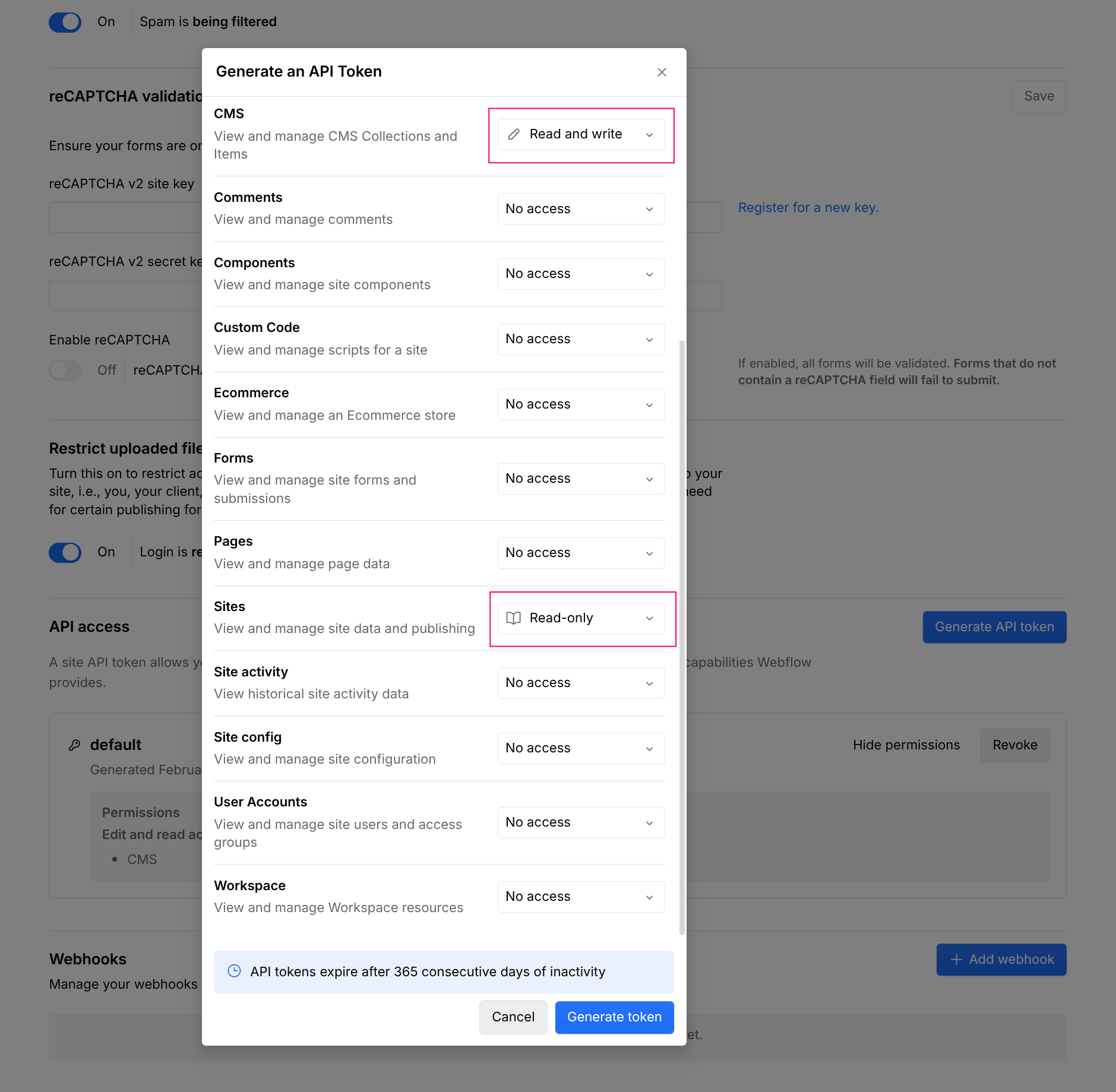
- Copy the generated token immediately
Important: Store this token securely. It provides API access to your Webflow site's CMS content and cannot be retrieved again after you leave the page.
Step 2: Connect Webflow to Linkfuse
With your Site API token ready, you can now establish the connection:
- Log in to your Linkfuse dashboard
- Navigate to Channels → Add Channel
- Select "Webflow" from the available platform list
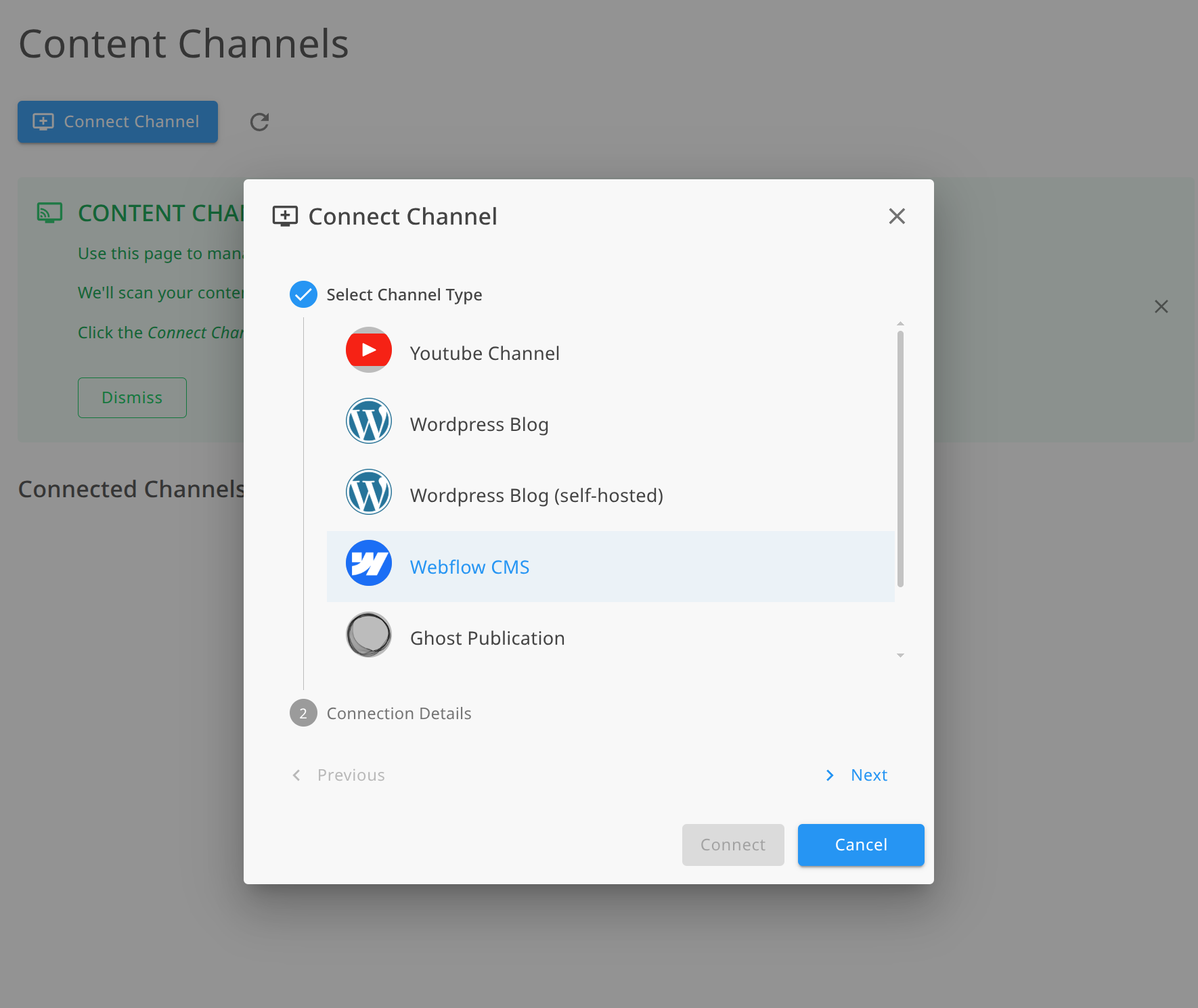
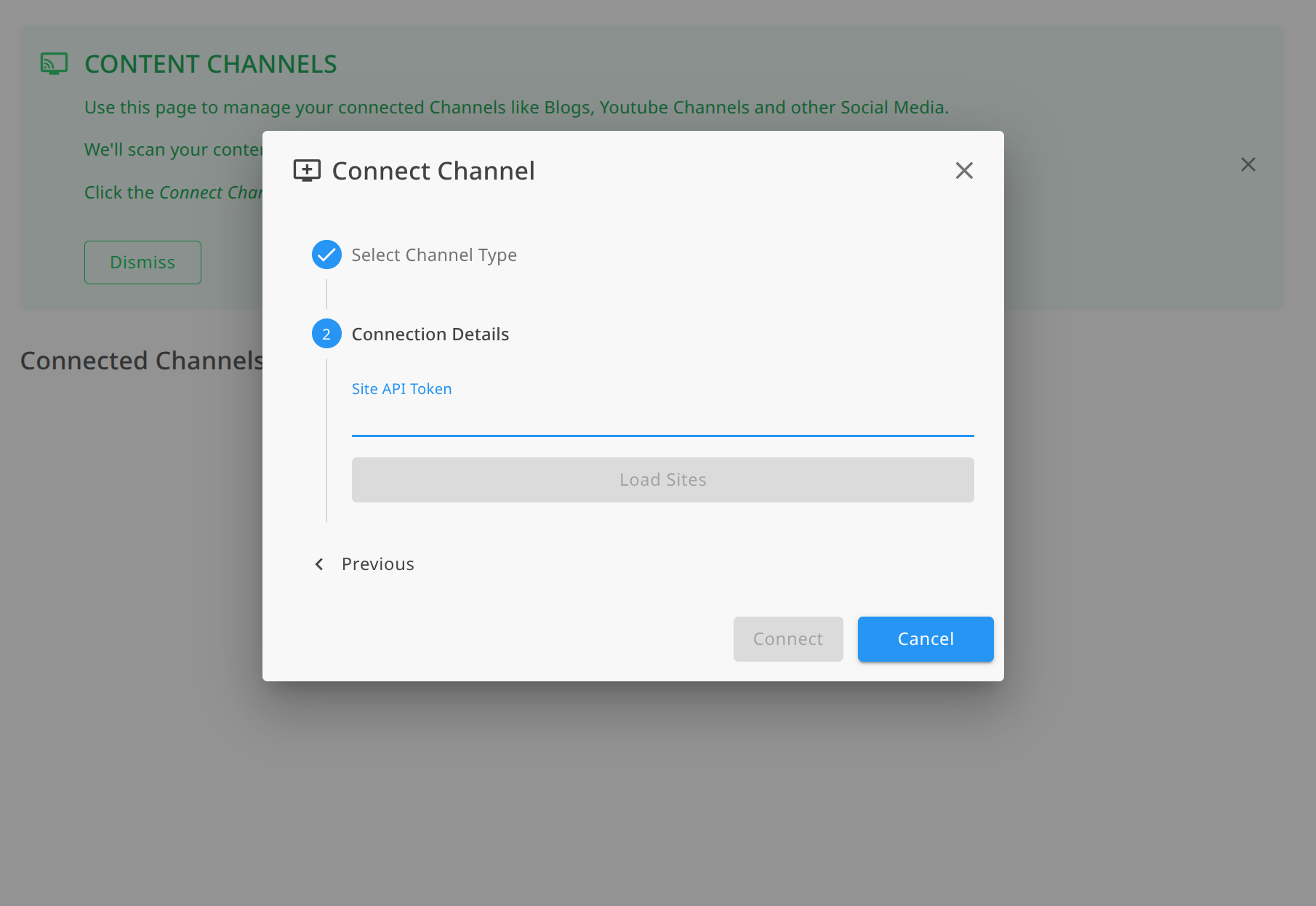
- Paste your Site API token into the authentication field
- Click "Load Sites"
- Select your Webflow site from the list
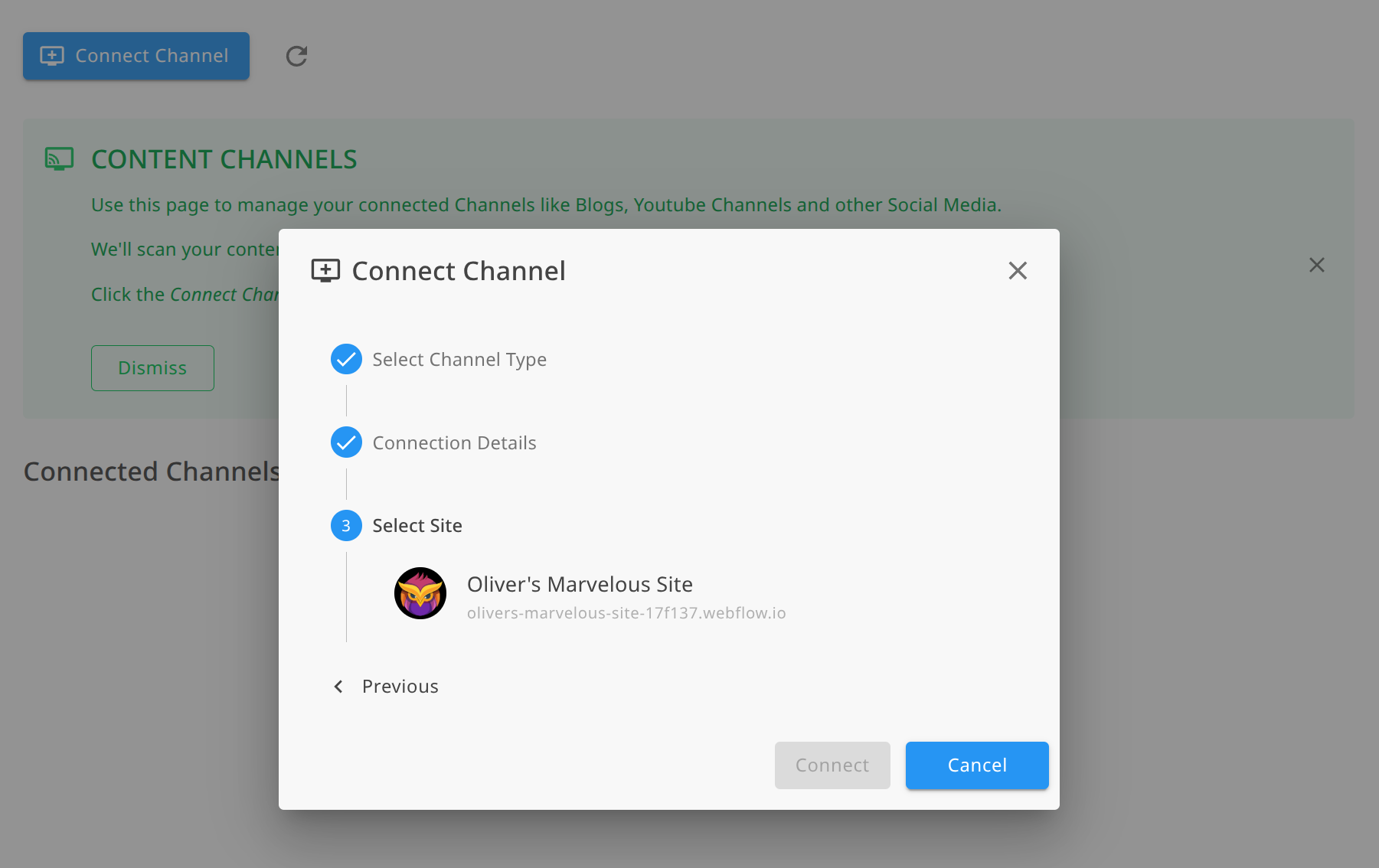
- Select the CMS collection to monitor (most likely "Blog")
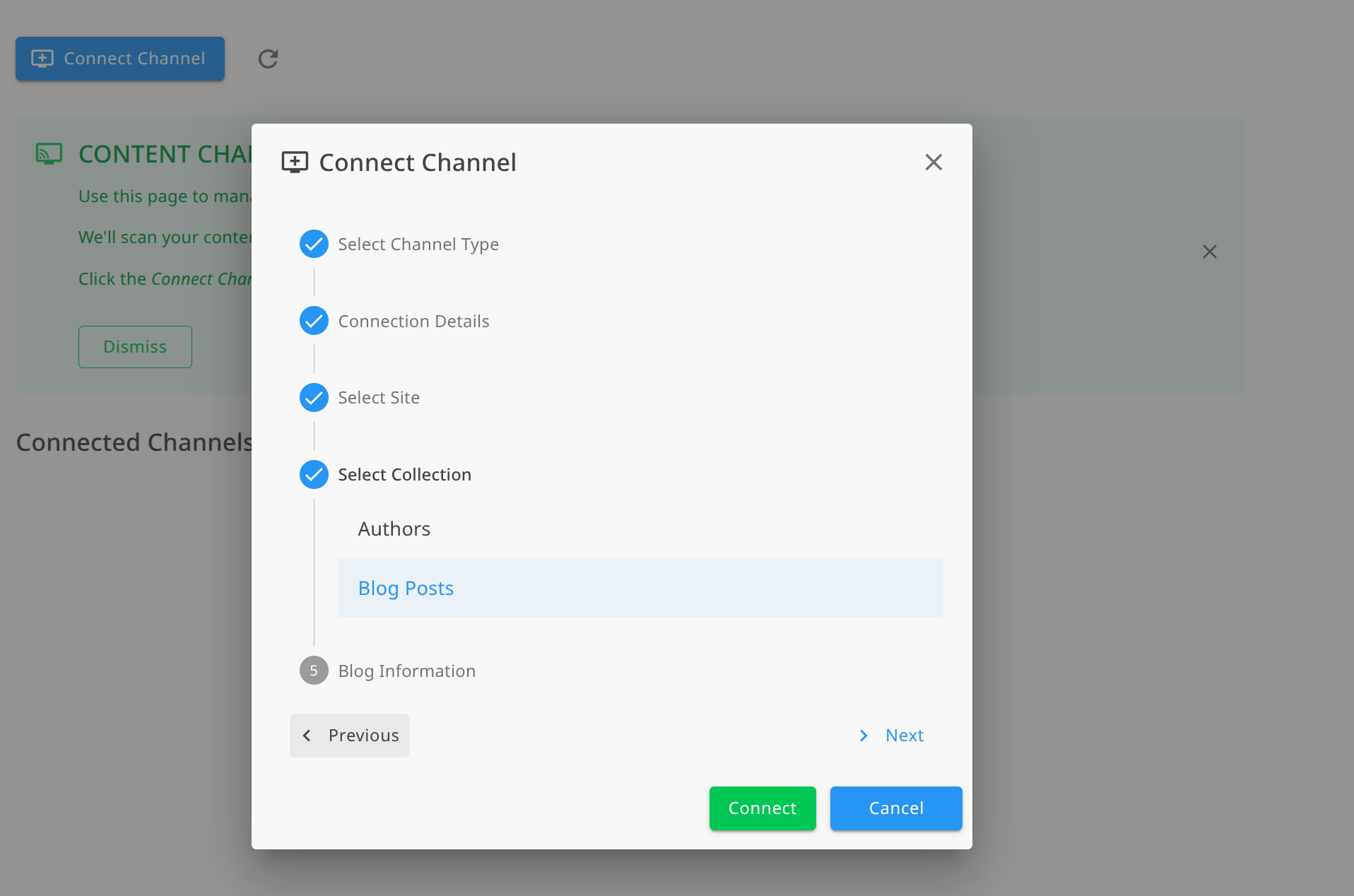
- Click Connect
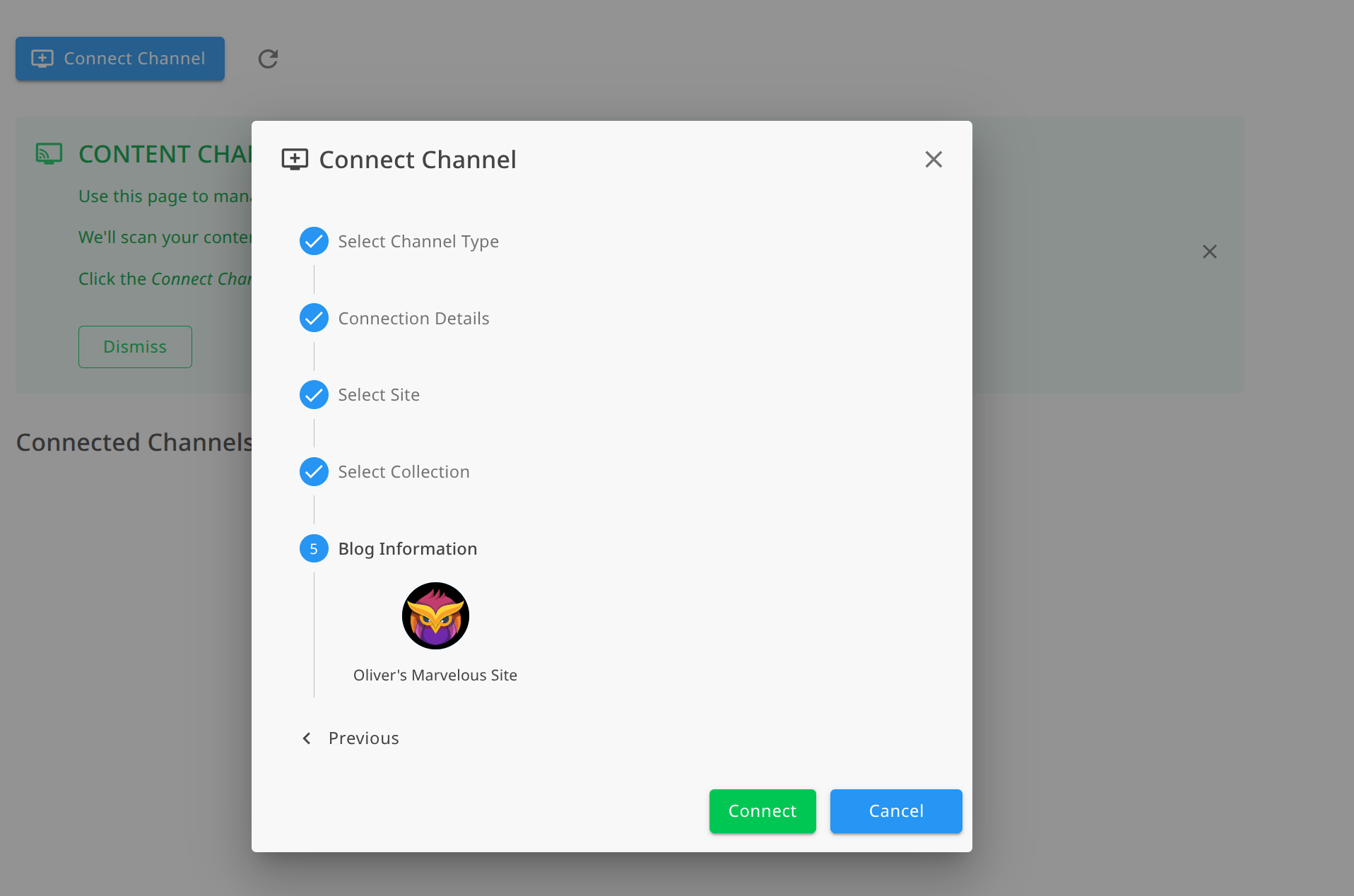
Linkfuse will verify the connection and confirm when your Webflow site is successfully connected---no site URL is needed, everything is retrieved from the token.
Step 3: Enable Automatic Monitoring
Once connected, enable webhook monitoring to process new and updated CMS items automatically:
- In your Webflow channel settings, locate the Monitoring section
- Toggle "Enable automatic monitoring" to ON
- Linkfuse creates webhooks to listen for CMS content changes, so new and updated items are processed in real time
With monitoring enabled, you'll never need to manually trigger link conversions. Linkfuse works in the background, processing your content automatically.
Step 4: Initial Scan and Link Conversion
After establishing the connection, Linkfuse performs an initial scan:
- All existing published CMS items are retrieved from your Webflow site
- Product links within your content are identified
- Eligible links are automatically converted to tracked Linkfuse short links
- Your original content structure and formatting remain intact
You can view the scan progress and results in your Linkfuse dashboard under the Webflow channel details.
What Happens After Connection
Existing CMS Items: Linkfuse scans your published CMS content and converts eligible product links to tracked affiliate links while preserving your content formatting and structure.
New CMS Items: When you publish new CMS content, the webhook triggers automatically. Linkfuse processes the item, converts product links, and updates the content---all without manual intervention.
Updated CMS Items: Any time you update a published CMS item, Linkfuse is notified to re-scan the content and ensure all links are properly tracked. New links added during edits are converted automatically while existing Linkfuse links remain functional.
Benefits of Using Webflow with Linkfuse
Visual-First Workflow: Linkfuse integrates seamlessly with Webflow's CMS, converting links behind the scenes without disrupting your visual design workflow or requiring any code changes.
Intelligent Geo-Targeting: Your Webflow site attracts visitors worldwide. Linkfuse automatically redirects each reader to their local Amazon store (amazon.com, amazon.co.uk, amazon.de, etc.), improving conversion rates by letting visitors purchase in their local currency.
Ideal for Content-Rich Sites: Monetize product recommendations across blog posts, resource pages, review collections, comparison tables, and any CMS-driven content on your Webflow site.
Real-Time Automation: No manual link replacement needed. New and updated CMS items are processed automatically via webhooks the moment they're published.
Comprehensive Analytics: Track clicks and conversions across all your Webflow content from the Linkfuse dashboard. See which pages and collections drive the most affiliate revenue.
Non-Destructive Implementation: Linkfuse wraps your existing links rather than replacing them entirely. Your original URLs are preserved in the system, and your Webflow content structure remains intact throughout the process.
Troubleshooting Common Issues
Invalid API Token Error
- Token expired or revoked: Generate a new Site API token in your Webflow site's Apps & Integrations settings
- Incorrect permissions: Ensure the token has CMS: Read and Write and Sites: Read only permissions
- Token not copied correctly: Verify no extra spaces or characters were included when pasting
Site Not Found
- Verify the API token was generated for the correct Webflow site
- Ensure the site has not been deleted or transferred to another workspace
- Generate a new token if the issue persists
Links Not Converting
- Ensure CMS items are published---draft items are not processed
- Verify your affiliate programs are properly configured in Linkfuse
- Check that links point to supported retailers (Amazon, etc.)
- Review the channel activity log to see which links were eligible for conversion